The Client:
“We want to have a section on the site that shows all of our case studies, filterable by industry/vertical. The problem is, we have quite a few verticals with long names and the current tabbed design doesn’t accommodate for more than a few tabs. Please advise.
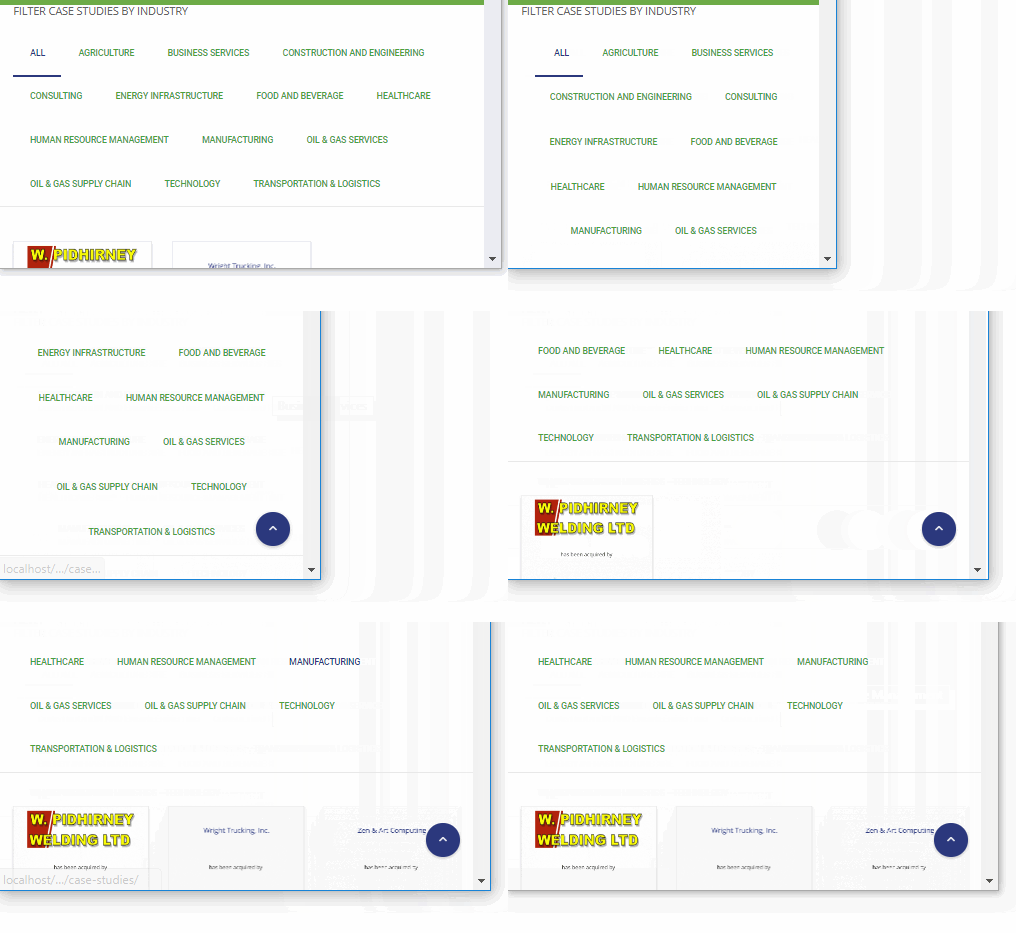
One of the biggest challenges of having any kind of tabbed or tab-like designs on a website is visually representing them in a mobile environment. Many times, when there’s a great deal of filters, the mobile version will force a user to scroll past the entire list just to see the initial content.
Furthermore, other problems arise when the filters are using jquery or AJAX to load the information. The page may not scroll to the content and alert the user that the viewing area has changed. This has been a pain point in many of my projects.
To address this particular issue, I had to keep in mind the following:
- No category is more important than the other
- The user needs to see the content change in the viewing area after they have selected their desired filter
- It would be ideal if the user was not confronted with the full list of filters and be forced to scroll past the entire list on every page
- There needs to be an initial view, probably a list of all case studies
The solution I chose to pursue would be somewhat of a dropdown list. However, I was restricted by the nature of how the case studies were being rendered and the budget of the client to keep from redesigning the mechanics of the list.
I had to come up with a mostly CSS-based solution that would leave the javascript undisturbed, yet give the whole section new mechanics.
As I designed a solution, I was confronted with even more problems due to the native functionality of the existing code:
- I had to create a toggling function for a static HTML list
- I had to create new UI for interacting with the list, including hover states, active states, and inactive states for each list item
- I had to make the list aesthetically pleasing within the full width space it had to exist in
- I had to create UI for the arrow in the select filter to alert the user to toggle the menu open and closed
- The entire list has to disappear once a user clicks an item
- All interaction should be animated and without glitches
The following jquery was used to add classes to the existing code for additional styling as well as select the classes to toggle and keep when interacting with the pseudo dropdown.
(function($){

    $( document ).ready(function() {

    $('.cmsmasters_project_filter_list').addClass('notfirst');

  });

  $('.first').click(function(e){
        e.preventDefault();

        $('.notfirst').slideToggle();
    });

      $('.cmsmasters_project_filter_list li, .cmsmasters_project_filter_list .button').click(function(e){
        e.preventDefault();

        $('.notfirst').slideToggle();
    });

$('.first').click(function(){
  $('.first').toggleClass('add sub');
});

})(jQuery);
The following CSS was added to work with the already existing pagebuilder, create the list styling, add spaces and characters before each item, and create the animating arrow to the right of the filter.
.first:hover {cursor: pointer;}

.cmsmasters_project_filter_list {padding-bottom: 25px !important;}

.cmsmasters_project_filter_list li {
padding: 0px !important;
margin: 0px !important;
    margin: 0;
border-bottom: 1px solid #f7f7f7;
  display: block;
width: 100%;

}

.cmsmasters_project_filter_list .button {padding: 4px 0px !important; display: block !important; width: 100% !important; text-align: left !important;}

.cmsmasters_project_filter_list .button {font-weight: normal !important; color: #626262 !important;}

.cmsmasters_project_filter_list .current .button  {font-weight: bold !important; color: #49a33c !important;}

.cmsmasters_project_filter_block{position: relative; cursor: pointer;
}

.cmsmasters_project_filter_block .magic-line {display: none !important;}

 .cmsmasters_project_filter_list li:hover {background-color: #f7f7f7; z-index: 1000 !important;}

.first {padding: 25px 0px;}

.notfirst {display: none;}

.first span {float: left;}

.first span::after {
  content: "\00a0 ▾";
}

.sub span::after {
  content: "\00a0 ▴";
}
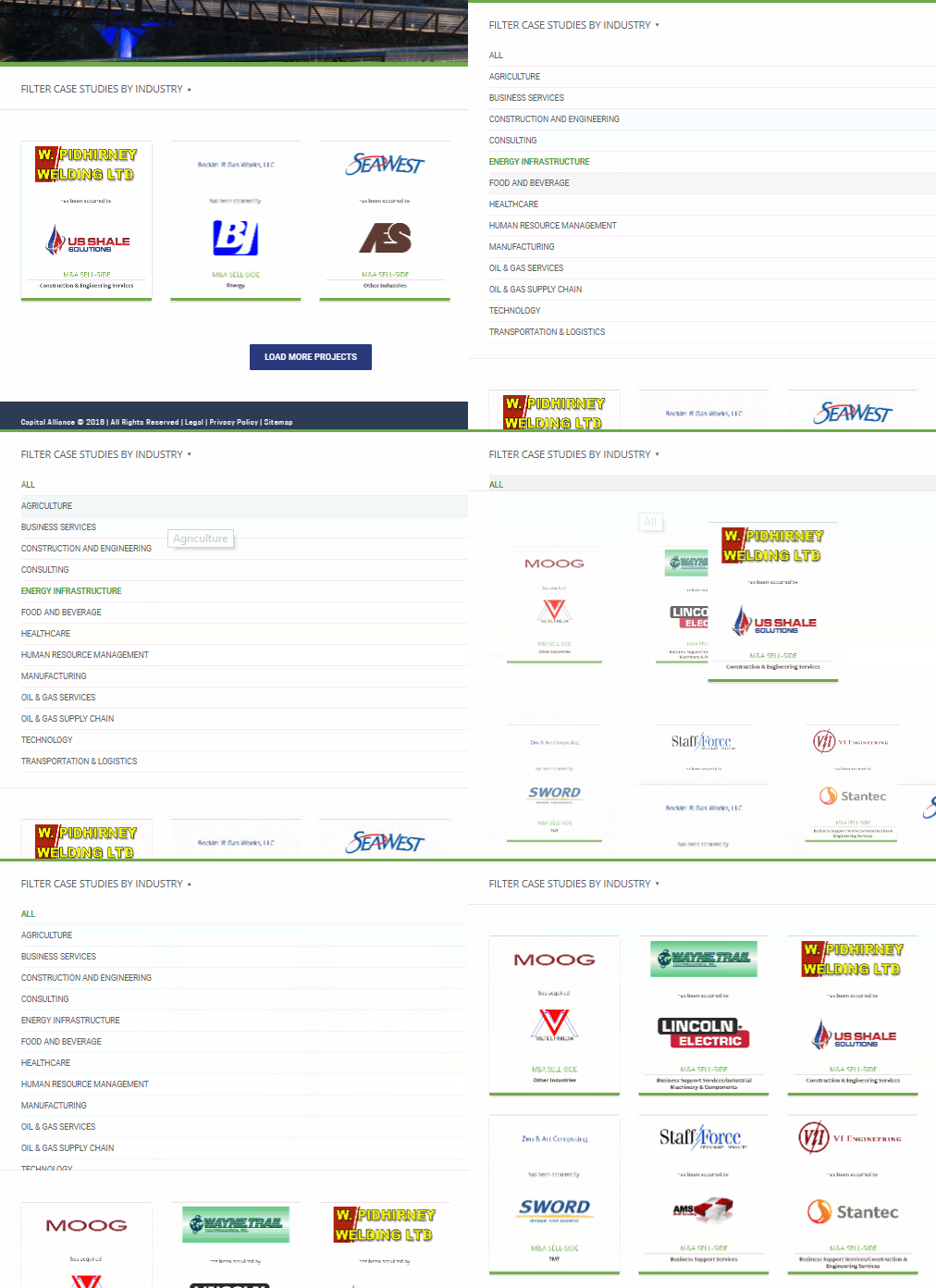
The finished product was one that did not alter any complex plugin, pagebuilder, or WP files. The purely jquery / css solution allowed me to build on top of what existed and preserve all functionality of the original interaction. The solution proved to be far more user-friendly than even the original tab design even at its best by eliminating the need to scroll past a list in responsive and scroll up and down in order to see the changing content in the views section.