The client:
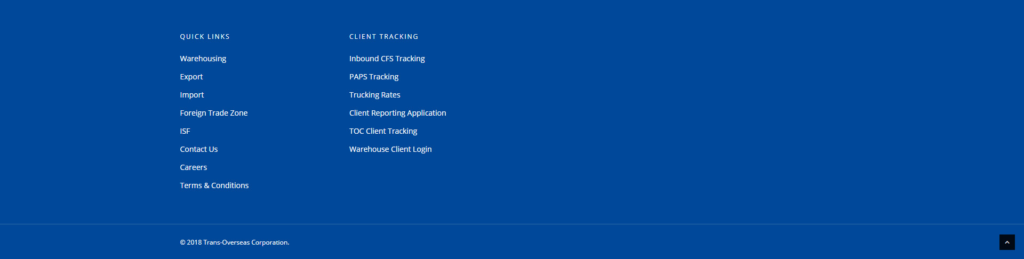
“The footer on our website could use a little help. It doesn’t look very dynamic and the theme we’re using is not very flexible in terms of column width. We’re not sure what content to put in the footer to complete or how to make it look less dead. We’d like something that looks like this site you built for another client.”
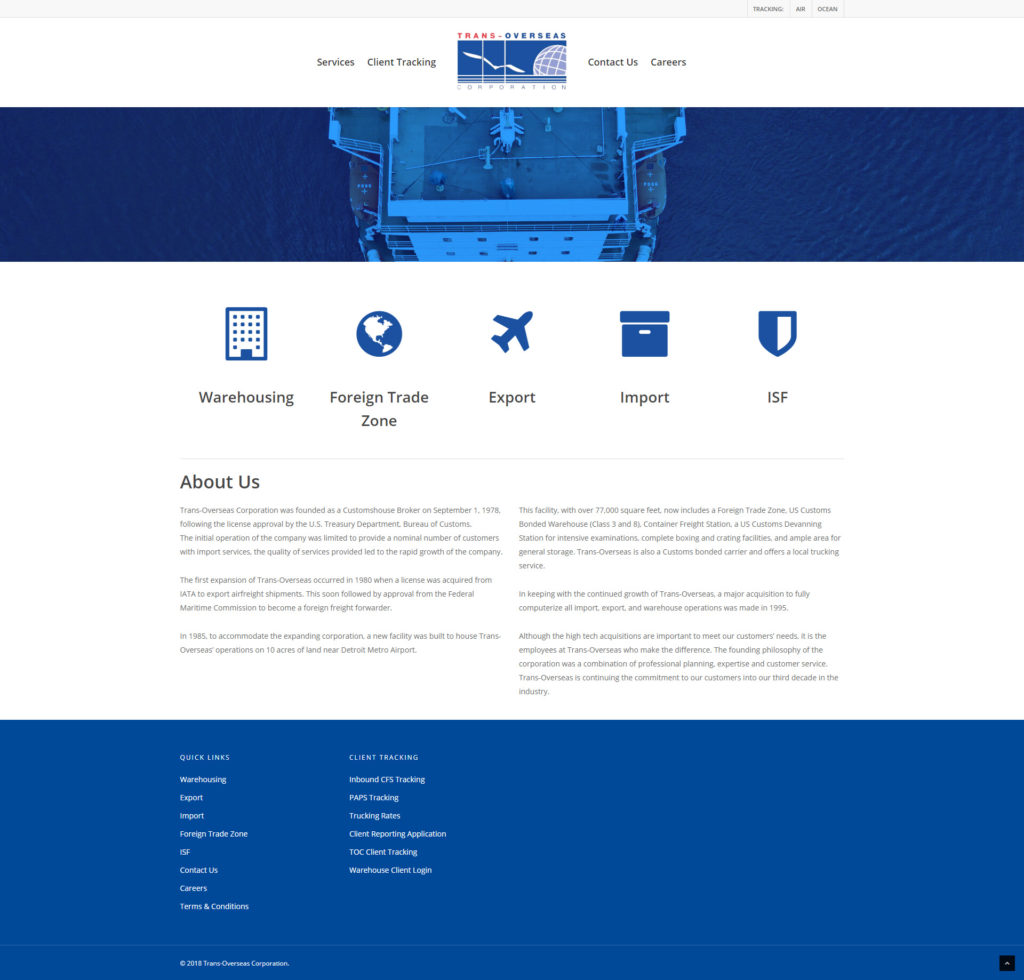
They weren’t wrong. Although the overall design of the page had its own problems, the footer was a big piece of it. A full view of the page showed that the footer occupied almost a quarter of the overall page content and left the user staring at – no pun intended – a blue ocean at the bottom of each page.
The WordPress theme in use allowed for a three or four column layout only. What is seen in the screenshot above is a four column design with only two widget areas filled out.
The client asked me to step in.
The solution:
To combat the problems in the footer, I identified the following issues:
- The footer is ‘too blue’
- There is too much footer; it occupies an overwhelming amount of vertical space
- The empty widget sections cause the footer content to seem imbalanced and add to the first bullet about there being far too much blue
- The only difference between each column heading and the links that follow them are the capitalization
- The client is not using the footer to its fullest potential, nor does the footer seem to have a focused goal
The last bullet is especially critical. The footer is a very important part of a page or site. This section functions as somewhat of a miniature toolbox for a user when they reach the end of a page. The footer should contain links and items that a user may want to access no matter what page they are on.
Examples include:
- Contact information
- Legal/copyright information
- Privacy policy / Terms information
- Social media links
- Newsletter signup forms or links
- Social media feeds
- Login links
- Links to a sitemap
The footer should be predictable. Shoving random links on the bottom just to fill out the content doesn’t help the user whatsoever.
In terms of design, a footer should not be the largest portion of a page. This is a hint that you do not have enough content in the body or that you have far too much going on in the footer.
Links in the footer should be quick access. The user does not need a full rehash of the whole site navigation as it should already exist somewhere else on the site. Some designers think rehashing the entire navigation tree in the footer helps a user navigate once they reach the bottom of a page, saving them the need to scroll back up, but there are many solutions to this, including a scroll to top button or a fixed nav bar. There is no need to be redundant
Knowing that the client wanted lists 5-7 items long proved to be a challenge. At this point, I knew that the content would have to be that much more well developed to keep the footer what it is: a footer.
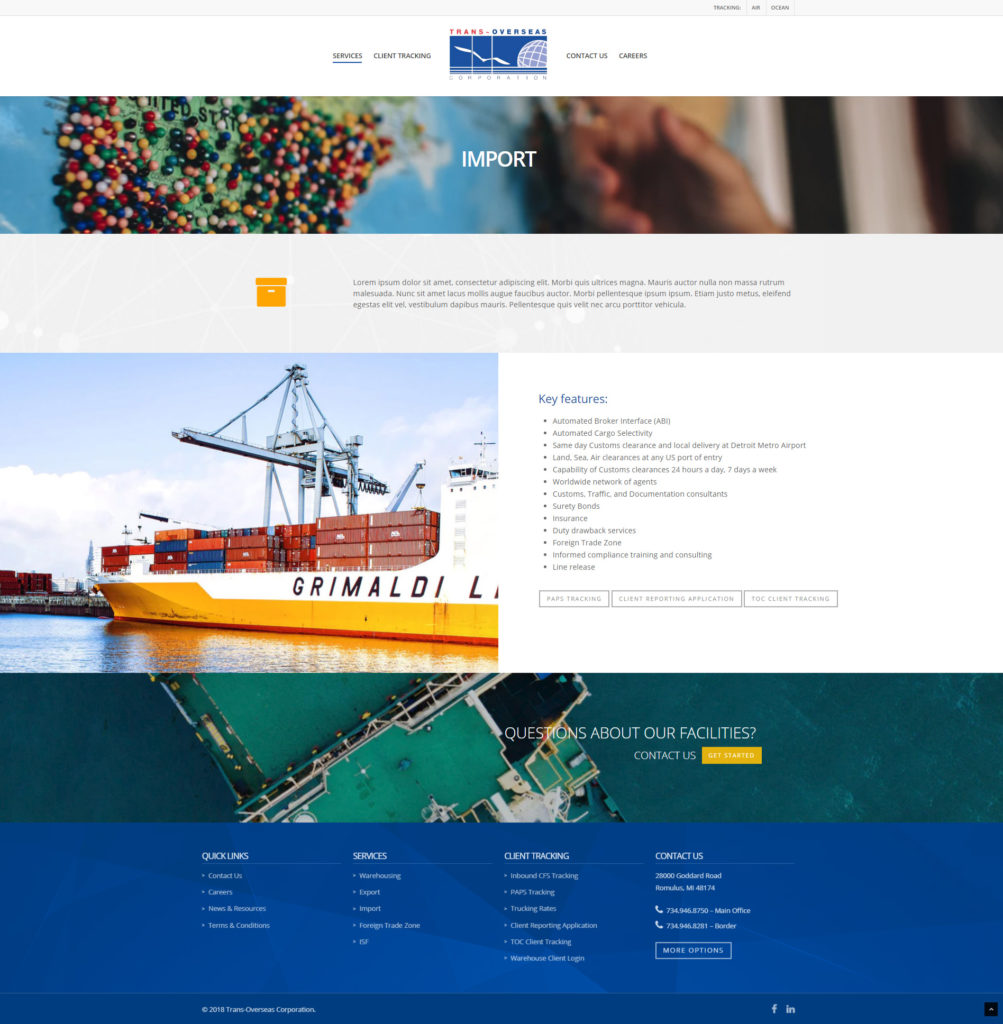
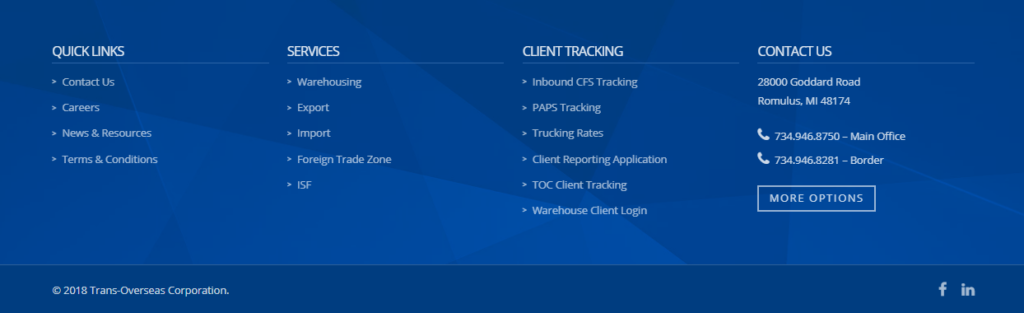
The remaining widget areas were filled with third party links that pertained to services offered by the client along with a quick access widget for contacting the company.
The addition of icons, buttons, and bullets proceeding the links helped liven up the lists and content rather than present a wall of text.
The headers for each menu were redesigned to be more prominent and identifiable. The borders beneath each header completed the grid lines for the eyes and anchored the menus beneath. It’s an especially effective strategy for lists and links that aren’t very long.
One of the most prominent additions was the background image, which broke up the one shade of blue to give the section a more dynamic, less flat look. It was the flatness of the former design that made the section seem ‘dead.’ A simple abstract background image gave the section dimension and detail.
Before:
It may be the last thing the user sees on a page, but the footer is one of the most important elements on an entire website. Users will beeline straight for the footer when searching for contact information, business address, or legal info. And just because a footer may contain some of a site’s more boring information does not mean it also has to look that way too.
Learn more about the full site redesign: